
Entra Authentication Overview
Introduction
Microsoft Entra is a cloud-based identity provider (IdP) that powers every authentication and many authorization processes in the Microsoft cloud ecosystem.
To verify your identity, you need to provide a secret, which only you
- know (a password credential)
- have (a physical item)
- are (biometrics)
to authenticate with Microsoft Entra. Multi-factor authentication (MFA) is an established security requirement to strongly proof that your authentication request is legitimate. However, the security landscape evolves and many new methods arise the horizon. Let's dive into the various options we have with Entra! 😎
Why protect identities?
Traditionally, security was in the network perimeter. With the widespread use of public clouds, users started to authenticate against cloud identity providers. This has many benefits, such as availability anywhere and anytime, but also brings along caveats. Attackers can also infiltrate user identities from anywhere and at any time. Therefore, we need to set strong authentication methods, together with other security controls (such as Conditional Access), in place to defend our digital, cloud infrastructure and identities. ⚔️
Identity is the main security perimeter.
Authentication Methods
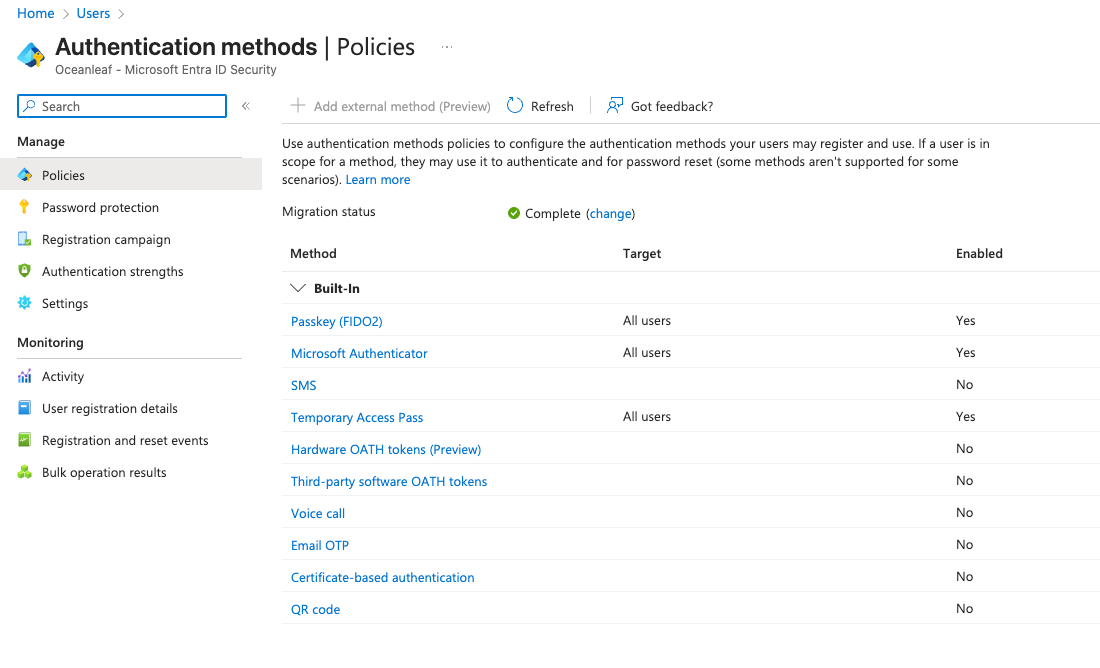
This blade is the main (and new) Authentication Methods configuration option in each Microsoft Entra tenant. Here you can manage, enable & disable and configure all options, which Microsoft provides. Every security admin should review and configure the methods according to the requirements.
Use Cases
Let's have a look at the different methods, their recommendation to (not) use, configuration options and example use cases:
| Method | Recommendation | Configuration | Example Use Case |
|---|---|---|---|
| Passkey virtual | ✅👑 | Key restriction should be configuredAttestation as needed | Regular employees |
| Passkey physical | ✅ | Privileged users, Breaking Glass Admin | |
| Microsoft Authenticator | ✅👑 | Number matching, App & Location Info | Regular employees |
| SMS | ❌ | ||
| Temporary Access Pass | ✅ | Min/Max Lifetime, Length, One-time Use | Onboarding, registration of new MFA |
| Hardware OATH tokens | 🟧 | Physical provider of TOTP | |
| Third-party software OATH tokens | 🟧 | Other TOTP software solution | |
| Voice call | ❌ | ||
| Email OTP | ❌💀 | ||
| Certificate-based authentication | 🟧 | CRL validation, bindings | Specific devices / users |
| QR code | 🟧 | Max Lifetime, PIN length | Frontline workers |
Security overview
Have a look at the different security criteria according to the methods.
- Passwordless: Users authenticate without entering a password, typically using biometrics or device-bound credentials
- Phishing-resistant: Protects against attacks from fake login pages by binding the authentication to the legitimate domain
- Token protection: Ensures that issued tokens can only be used on the originally authorized device
| Authentication Method | Phishing-resistant | MFA | MitM-safe | Notes |
|---|---|---|---|---|
| Passkey (FIDO2/WebAuthn) | ✅ Yes | ✅ Yes | ✅ Yes | Domain-bound, private keys never leave the device |
| Hardware Key (e.g., YubiKey) | ✅ Yes | ✅ Yes | ✅ Yes | Very strong, optionally with PIN or biometrics |
| Authenticator App (TOTP) | ❌ No | ✅ Yes | ❌ No | OTP can be intercepted and reused |
| Authenticator App (Push) | ⚠️ Limited | ✅ Yes | ❌ No | Prone to "push fatigue", e.g., with Microsoft Authenticator |
| SMS / Email Code | ❌ No | ✅ Yes | ❌ No | Very weak, easily intercepted |
| Password-only | ❌ No | ❌ No | ❌ No | 💀 |
| QR Code | ❌ No | ⚠️ Partial (PIN) | ❌ No | Only for specific use cases, should be restricted |
| Temporary Access Pass (TAP) | ❌ No | ✅ Yes | ❌ No | Strong, but only for certain use cases |
Passkeys: The Future
Passkeys are the authentication method of the future (software-bound), regardless of Microsoft Authentication or different vendor. Passkeys reinforce modern security standards, based on FIDO2 and are very simple to use!
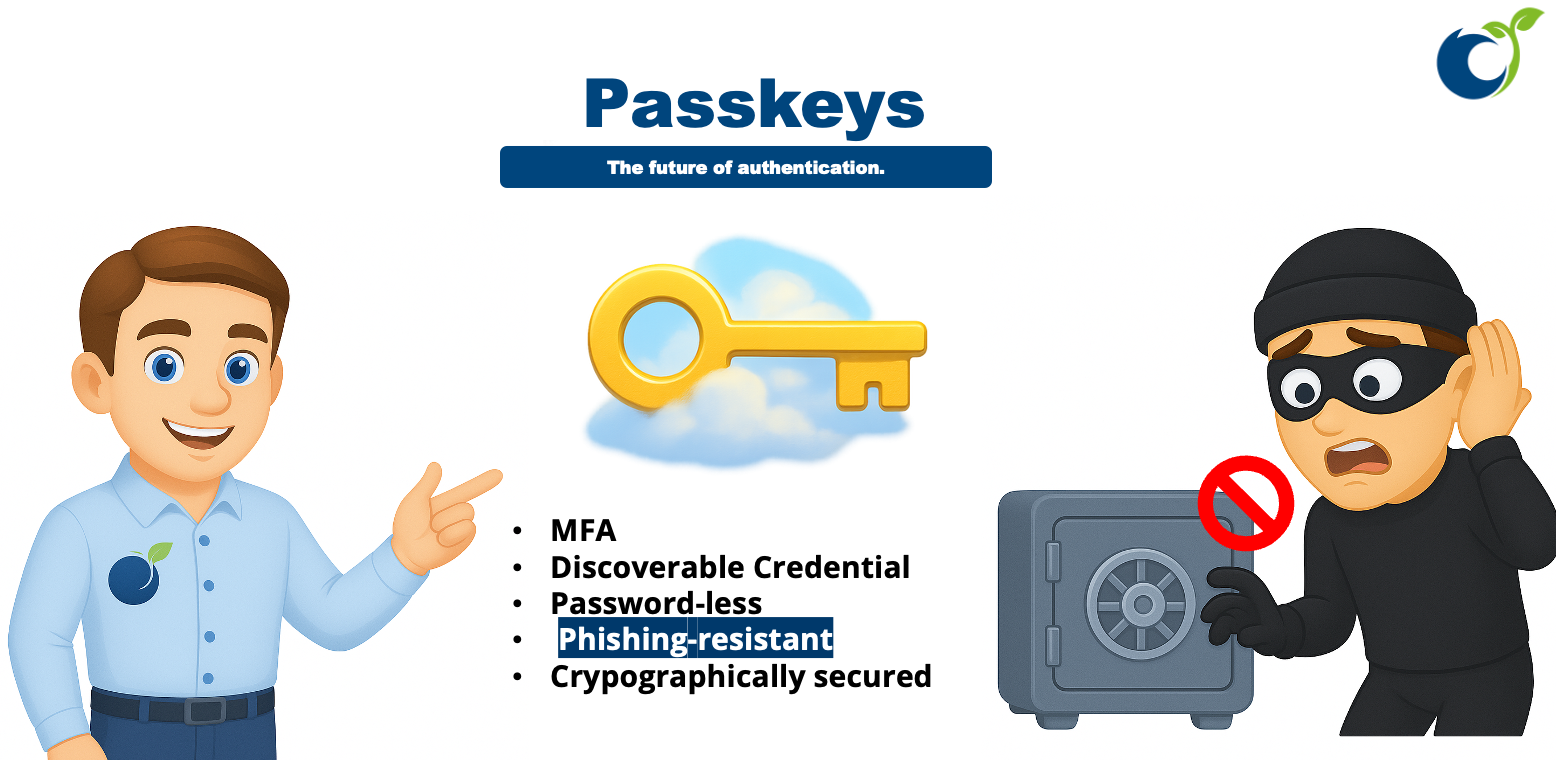
- A passkey is a FIDO2/WebAuthn discoverable credential
- Discoverable Credential (No need to enter a username)
- Password-less (No password secret required)
- Phishing-resistant (Target audience must be verified during the login process)
- Based on cryptographic keys
- Easy to use for end users (Requires a second device where the passkey is stored and a Bluetooth connection)
Migration: Required until end of September 2025
TL;DR
Microsoft is standardizing the management of all authentication methods. The migration must be completed in all Tenants by September 30, 2025.
Steps:
- Disable all legacy policies (old MFA portal + SSPR methods)
- Set up the migration process in new Authentication Methods blade
- Cleanly configure the new “Authentication Methods” portal with appropriate/recommended methods
Recommended methods:
- FIDO2 + Passkeys - most secure & modern standard
- Microsoft Authenticator - simple & most widespread variant
- Temporary Access Pass - effective for certain use cases
powered by Oceanleaf
 Niklas Tinner